









T300-FAP834V3
- Product details
- Data download
- Video and Documents
- FAQ
Product Overview
The T300-FAP834V3 is a high-performance, high-speed indoor Wi-Fi 6 panel AP that supports dual-band (2.4 GHz and 5 GHz) wireless connectivity with concurrent operation capability, delivering peak data rates of nearly 3 Gbps. It delivers a cleaner wireless environment and more stable connectivity.
Product features
l Supports concurrent operation on both 2.4 GHz (574 Mbps) and 5 GHz (2402 Mbps) frequencies, delivering up to nearly 3 Gbps of wireless data throughput.
l Supports hardware watchdog functionality, automatic recovery for faulty devices, and maintenance-free operation.
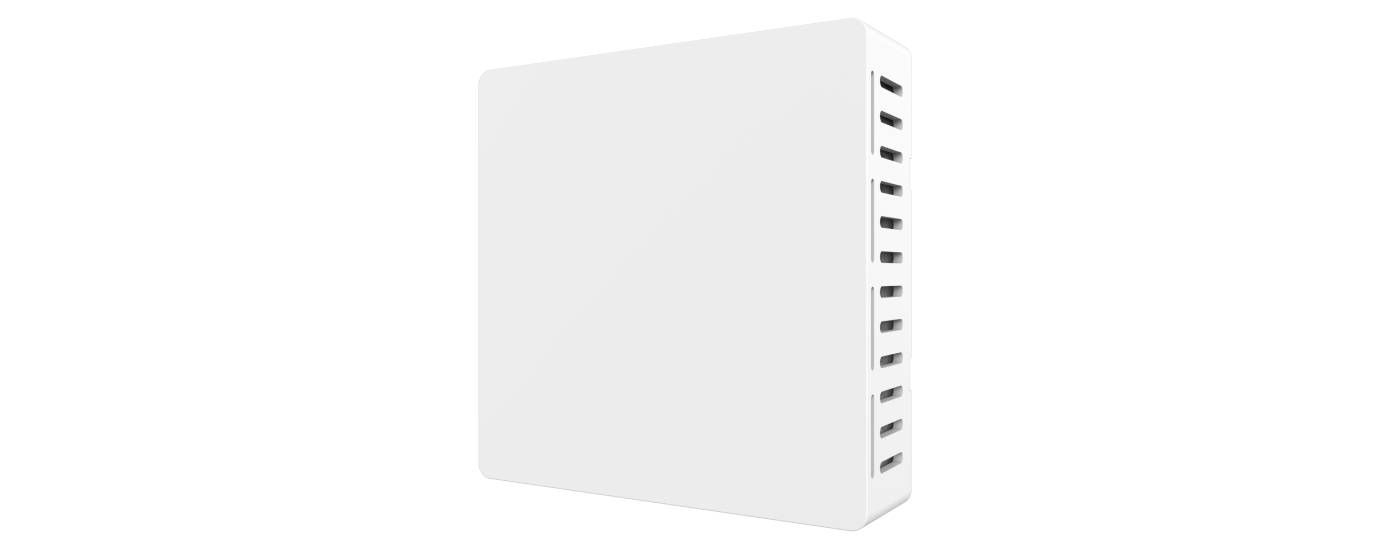
l The heat sink features a specialized surface coating for enhanced thermal performance and more stable network operation.
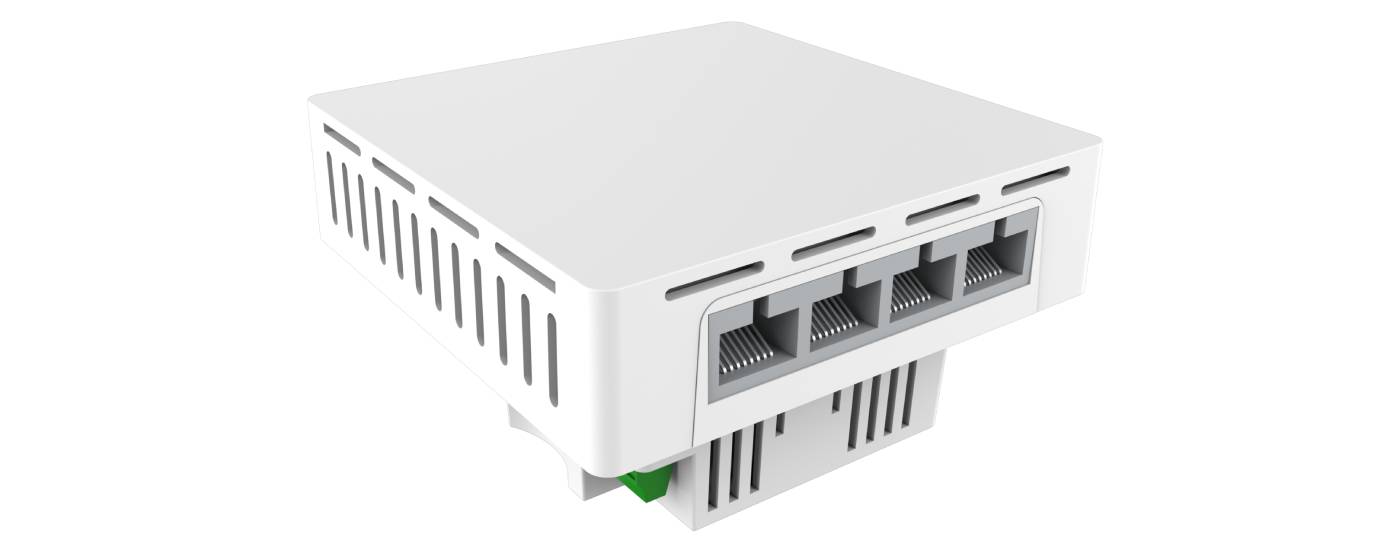
l Supports four 10/100/1000 Mbps adaptive LAN ports, offering a wider range of compatible devices.
Technical parameter
Model | T300-FAP834V3 | ||||
CPU | MT7981B+MT7976CN+MT7531AE | ||||
Flash | Nor 16MB | ||||
DDR3L | 256MB | ||||
2.4G frequency | 2.4GHz ~ 2.484GHz | ||||
2.4G WIFI protocol | 802.11 b / g / n / ax | ||||
5G frequency | 5.150GHz~5.850GHz | ||||
5G WIFI protocol | 802.11 a / n / ac / ax | ||||
Built-in Antenna 2.4G/5G | Built-in dual-ceramic antenna with two components; Antenna gain: 3 dBi for 2.4 GHz and 3.3 dBi for 5 GHz | ||||
top speed | The 2.4 GHz band offers a maximum access speed of 574 Mbps, while the 5 GHz band provides up to 2402 Mbps. | ||||
2.4GHz tx power | 802.11b | 11M | 23±2dBm | 1M | 23±2dBm |
802.11g | 54M | 20±2dBm | 6M | 22±2dBm | |
802.11n HT20 | MCS7 | 18.5±2dBm | MCS0 | 20.5±2dBm | |
802.11n HT40 | MCS7 | 18.5±2dBm | MCS0 | 20.5±2dBm | |
802.11ax HT20 | MCS11 | 17±2dBm | MCS0 | 20.5±2dBm | |
802.11ax HT40 | MCS11 | 17±2dBm | MCS0 | 20.5±2dBm | |
5GHz tx power | 802.11a | 54M | 19±2dBm | 6M | 21.5±2dBm |
802.11n HT20 | MCS7 | 18±2dBm | MCS0 | 20±2dBm | |
802.11n HT40 | MCS7 | 18±2dBm | MCS0 | 20±2dBm | |
802.11ac HT20 | MCS8 | 17.5±2dBm | MCS0 | 20±2dBm | |
802.11ac HT40 | MCS9 | 17.5±2dBm | MCS0 | 20±2dBm | |
802.11ac HT80 | MCS9 | 17±2dBm | MCS0 | 19.5±2dBm | |
802.11ax HT20 | MCS11 | 16.5±2dBm | MCS0 | 20±2dBm | |
802.11ax HT40 | MCS11 | 16.5±2dBm | MCS0 | 20±2dBm | |
802.11ax HT80 | MCS11 | 16±2dBm | MCS0 | 19.5±2dBm | |
802.11ax HT160 | MCS11 | 14.5±2dBm | MCS0 | 18±2dBm | |
2.4GHz Rx sensitivity | 802.11b | 11M | -81dBm | 1M | -90dBm |
802.11g | 54M | -70dBm | 6M | -87dBm | |
802.11n HT20 | MCS7 | -69dBm | MCS0 | -87dBm | |
802.11n HT40 | MCS7 | -66dBm | MCS0 | -84dBm | |
802.11ax HT20 | MCS11 | -57dBm | MCS0 | -87dBm | |
802.11ax HT40 | MCS11 | -54dBm | MCS0 | -84dBm | |
5GHz Rx sensitivity | 802.11a | 54M | -70dBm | 6M | -87dBm |
802.11n HT20 | MCS7 | -69dBm | MCS0 | -87dBm | |
802.11n HT40 | MCS7 | -66dBm | MCS0 | -84dBm | |
802.11ac HT20 | MCS8 | -64dBm | MCS0 | -87dBm | |
802.11ac HT40 | MCS9 | -59dBm | MCS0 | -84dBm | |
802.11ac HT80 | MCS9 | -56dBm | MCS0 | -80dBm | |
802.11ax HT20 | MCS11 | -57dBm | MCS0 | -87dBm | |
802.11ax HT40 | MCS11 | -54dBm | MCS0 | -84dBm | |
802.11ax HT80 | MCS11 | -51dBm | MCS0 | -81dBm | |
802.11ax HT160 | MCS11 | -48dBm | MCS0 | -78dBm | |
2.4GHz EVM | 802.11b: ≤-10 dB;802.11g: ≤-25 dB;802.11n: ≤-28dB;802.11ax: ≤-35 dB | ||||
5GHz EVM | 802.11a: ≤-25 dB ;802.11n: ≤-28 dB ;802.11ac: ≤-32 dB; 802.11ax: ≤-35 dB | ||||
ppm | ±20ppm | ||||
WAN | 1 x 10/100/1000Mbps Auto-Negotiation RJ45 WAN port, supporting 48V PoE power supply | ||||
LAN | 1 x 10/100/1000Mbps Auto-Negotiation RJ45 LAN port | ||||
Button | Reset button (press and hold for 6-10 seconds to restore to factory default settings) | ||||
LED | Built-in hidden tri-color LED (Red, Green, Blue) on the middle frame. (1) Solid red on power-up. After system startup and any Wi-Fi is enabled, the red light turns off and the green light turns solid. (2) In AC management mode: When the AP loses connection with the AC, the red and green lights turn off, and the blue light turns solid. (3) When the "Find AP" function is used, the red and green lights turn off, and the blue light flashes quickly (once per second). | ||||
Power supply | PoE 802.3af | ||||
Power consumption | <14W | ||||
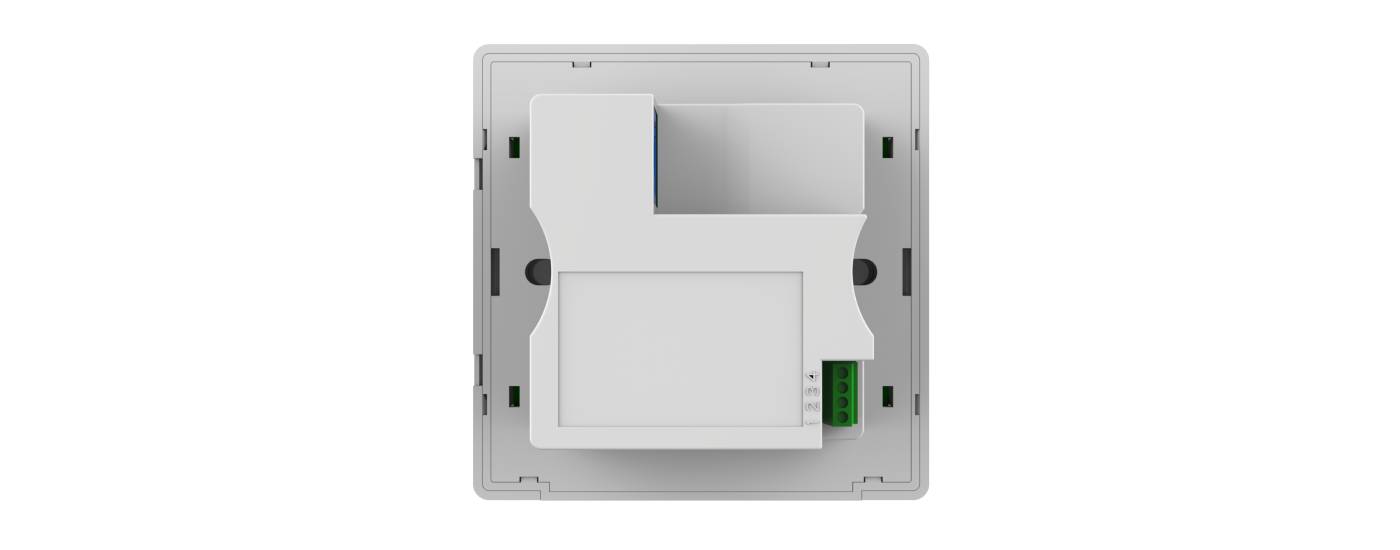
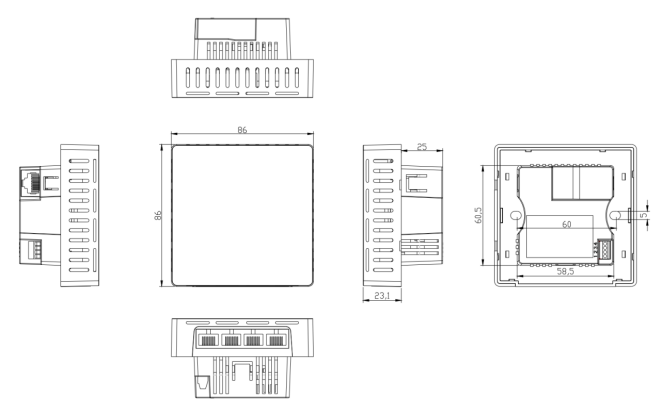
Size | 86mm × 86mm × 38.8mm (external height is 8.5mm) | ||||
Weight | 0.15kg | ||||
Environment | Operating temperature-10°C to 40°C;Storage temperature: -40°C to 70°C;humidity:5%~95%(No condensation) | ||||
ESD | Air:±8K, Touch:±6K | ||||
Electrical Surge | Common Mode: 2K, Differential Mode: 1K | ||||
Software function
Device Operation Information | Working Mode: Default is Fat AP mode; you can switch between Fat AP mode and Thin AP mode with one click |
Wireless AP download speed, wireless AP upload speed, runtime duration | |
Device Information, Device Description, Internal Network Information, WIFI Information | |
Support Mode | Gateway mode: After connecting to the WAN via the WAN port, the device accesses the internet using static IP, DHCP, or PPPoE. |
AP Mode: The device broadcasts wireless network signals to other clients and devices, and connects to other routers via Ethernet to access the WAN. | |
Wireless Features | SSID broadcasting |
Number of SSIDs: 4 (2.4 GHz) + 4 (5 GHz), supports Chinese SSIDs | |
Hide SSID Function | |
Wireless Encryption: OPEN, WPA/WPA2 PSK-TKIP AES, WPA2 PSK-TKIP AES, WPA3 PSK-AES | |
Wireless MAC Address Filtering: Supports whitelist (100) | |
Spectrum Navigation (5G Priority) | |
WiFi Automatic Sleep Mode | |
User Isolation: Isolation between wireless networks and within APs | |
Transmission Power Setting | |
Wireless Client Access Limit | |
Network Functions | Connection method: Static address, obtained from the management server or gateway |
DHCP Server: Can be either a built-in DHCP server or an external DHCP server | |
Cloud Platform Server | |
VLAN: LAN 2–4 support VLAN ID configuration; WiFi supports VLAN ID configuration based on SSID. | |
device management | Backup Configuration Details |
Reconfigure Information | |
factory data reset | |
Reboot options include scheduled reboot and immediate reboot | |
firmware upgrade | |
Time management includes displaying time and synchronizing time across systems. | |
system log | |
Fat/Poor AP Switching Function |
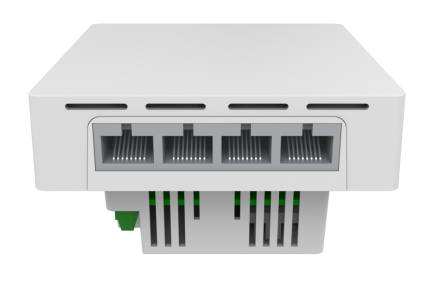
Interface Diagram
Product Size Diagram
Attachment List
Host*1
Screw *2
Description*1
Qualification Certificate and Warranty Card *1
 Click to download document materials